


A fast-growing global marketplace took on two Brighton town-centre buildings with zero network infrastructure. We delivered the full build, from cabling to managed WiFi, and have maintained it since 2021.
At a glance
| Venue type | Office and client meeting centre (fast-growing e-commerce and tech business) |
| Location | Brighton town centre, East Sussex, UK |
| Site | Two separate buildings used as a combined workspace and client-facing meeting centre |
| Peak demand | Daily office operations and meeting room bookings, with guest WiFi for visitors alongside staff connectivity across both buildings |
| Services delivered | Full network build, comms cabinet, structured cabling, UniFi switching, inter-building connection, guest and staff WiFi, centralised monitoring, managed support |
| Timeline | Survey, design and deployment: 2021. Ongoing managed service since go-live. |
| Support model | Fully managed: remote monitoring, planned out-of-hours maintenance, change support |
| Key result | Reported 100% operational uptime in day-to-day use since 2021 go-live |
Related services
- WiFi for offices
- WiFi site surveys and heatmapping
- Managed WiFi support and monitoring
- Guest WiFi for meeting rooms
- Multi-site WiFi management
1. What was the client’s problem?
When a fast-growing global online marketplace for used photo and video kit took on two town-centre buildings in Brighton, they inherited something neither building came with: absolutely no network infrastructure.
There was no WiFi, no structured cabling, no switching, and no comms cabinet. Both buildings were bare shells from an IT connectivity perspective.
Symptoms
- No means to connect staff devices or run day-to-day operations from either building.
- No ability to offer guest WiFi or support presentations and video calls in meeting rooms.
- Two separate buildings with no way to function as one connected environment.
- No foundation on which to layer business tools, collaboration systems, or visitor-facing services.
Business impact
- Staff onboarding into the new space was blocked until a working network existed.
- Meeting rooms could not host clients, run presentations, or support the professional experience the business needed to project.
- Launching a customer-facing site without reliable connectivity created direct operational risk.
What triggered the project: The business was moving into its Brighton premises and needed both buildings fully operational from the outset. Everything had to be built correctly from the start.
Client requirements
- A complete wired and wireless network build from scratch across both buildings.
- Reliable guest WiFi for meeting rooms and external visitors.
- Consistent staff connectivity across all areas of both buildings.
- A secure, stable link between the two buildings so the whole site behaves as a single network.
- Central monitoring, planned patching and ongoing maintenance to protect performance and uptime.
Constraints
- Two-building topology requiring a robust inter-building connection as part of the core design.
- Fit-out constraints typical of town-centre premises.
- Minimal tolerance for disruption or downtime once the site went live.
2. What we carried out in the survey process
The survey established what the network needed to do, how the buildings could be connected, and what a properly engineered foundation would look like before any equipment was ordered or installed.
What we checked
- Building layouts, planned meeting room usage, and how staff and visitors would move around the space.
- Best location for the core comms cabinet and main switching layer.
- Structured cabling routes and containment options across both buildings.
- Access point positioning for consistent coverage in meeting rooms and working areas.
- Inter-building connectivity options and the risk profile of each approach.
- Power availability, PoE requirements, switch port capacity, and growth headroom.
- Guest and staff access requirements and how best to segment them.
What we found
There was no existing infrastructure to assess or inherit. The survey was entirely forward-looking: defining a clean, correctly engineered design rather than diagnosing a failed one.
The core finding was that this needed to be treated as a full network build, not a WiFi installation. Getting the wired layer right first, with proper cabling, a well-placed cabinet, and correctly sized switching, was the prerequisite for reliable wireless performance. The inter-building connection was identified as the single most critical dependency. Everything in the second building relied on it, so its design needed to be stable, maintainable and appropriate to the environment.
Risks and how we mitigated them
| Risk identified | How we mitigated it |
|---|---|
| Poor cabling or cabinet design limiting reliability and future expansion | Designed the core network correctly from the start, with capacity headroom in switching and PoE |
| Inter-building link failure taking down connectivity in the second building | Chose a connection approach designed for stability and serviceability, not the cheapest available option |
| Guest WiFi exposing internal systems to visitors | Implemented network segmentation from the outset, with separate SSIDs and isolated guest access |
| Disruption once the site went operational | Phased commissioning sequence to complete and validate the network before the site went live |
3. The solution we provided
We delivered a complete wired and wireless network across two Brighton town-centre buildings, built from scratch, and designed to run as a single connected environment from day one.
Comms cabinet and core network
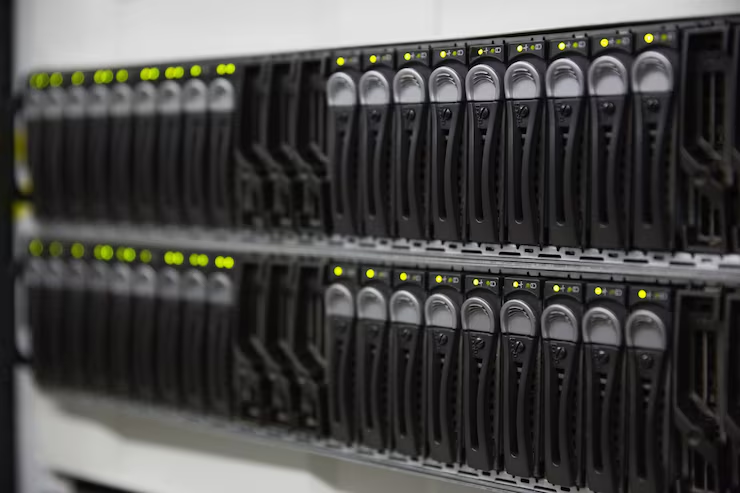
We started with the foundation: a properly installed comms cabinet providing a clean, serviceable home for the core network equipment. From there we installed UniFi switching with the PoE capacity needed for access points, meeting room equipment and connected workplace devices, with headroom built in for future growth.
Structured cabling throughout
We ran structured cabling across both buildings, following containment routes appropriate to the fit-out. Every run was terminated and tested, giving the WiFi and wired devices a clean, reliable physical layer to sit on.
Inter-building connection
Connecting the two buildings so they operate as one network was a non-negotiable part of the design. We implemented a dedicated connection between the two sites designed for day-to-day stability, giving staff and guests a consistent experience regardless of which building they are in, and giving us a single management point for both.
Guest and staff network separation
We deployed separate SSIDs for guest and staff usage, with appropriate network segmentation between the two. Visitor devices in meeting rooms are kept isolated from internal systems without any friction to the user experience on either side.
WiFi design and AP placement
Access point placement was designed around the way the buildings are actually used: meeting rooms and collaboration areas first, then working spaces. We tuned for the contention patterns of a meeting-heavy environment, where several devices in one room all need reliable simultaneous throughput for video calls and presentations.

Why this approach rather than alternatives: Adding WiFi to an ad hoc or consumer-grade network would have produced unpredictable performance and a maintenance burden from the outset. Building the wired layer correctly first meant the WiFi had a stable, clean foundation. The UniFi platform gave us a single management point across both buildings and a straightforward path for future upgrades and expansion.
Implementation and go-live
- 2021: Site survey and design sign-off, then full deployment.
- Comms cabinet installed and core switching commissioned.
- Structured cabling run and terminated throughout both buildings.
- Inter-building connection implemented and validated.
- Access points installed, commissioned, and coverage validated room by room.
- Network segmentation configured and tested for guest and staff access.
- Full handover pack provided, covering SSIDs, basic usage guidance, and support routes.
- Managed service commenced from go-live.
4. The aftercare
The business receives a fully managed network and WiFi service. Carden Hotspots handles day-to-day monitoring, planned maintenance and changes, so the internal team does not need to manage the infrastructure themselves.
- Remote monitoring: Both buildings are monitored continuously via the UniFi management portal. Alerting is configured for all critical network devices, so any issue is flagged before it can affect operations.
- Planned patching and firmware: Updates are applied on a scheduled basis, outside working hours where possible, to avoid disrupting the team or client meetings.
- Change support: When the client adds new devices or changes how the space is used, changes are submitted via the agreed support channel, assessed and delivered under change control. The network has already been extended to support wall-mounted iPads and other connected workplace devices since the original deployment.
- Review cadence: Regular reviews plus ad-hoc health checks when new equipment or usage patterns are introduced.
What comes next
The planned next step is an upgrade of key access points to WiFi 7 hardware. Because the existing network was built on a standards-based platform with consistent configuration across both buildings, this is expected to be a swap-and-reprovision process rather than a redesign. That is one of the practical dividends of doing the build correctly the first time.

Before and after
| Area | Before | After |
|---|---|---|
| Network infrastructure | None (bare shell across both buildings) | Full wired and wireless build with comms cabinet and structured cabling |
| Inter-building connectivity | None | Stable dedicated connection; both buildings operate as one site |
| Guest WiFi | None | Reliable, segmented guest WiFi for meeting rooms and visitors |
| Staff connectivity | None | Consistent across both buildings |
| Operational uptime | N/A (no infrastructure) | Reported 100% in day-to-day use since 2021 go-live |
| Maintenance | N/A | Planned out-of-hours patching and firmware updates via managed service |
| Expandability | N/A | Already extended to support wall-mounted iPads; WiFi 7 upgrade planned |
Frequently asked questions
What does a full network build from scratch actually involve?
How do you connect two buildings so they work as one network?
Can guest WiFi in meeting rooms be kept separate from the internal network?
What does managed WiFi mean in practice for an office?
How disruptive is upgrading to WiFi 7 if we are already on the managed platform?
Want the same outcome?
If you are fitting out new office space, taking on an additional building, or working with a site where the existing network is not good enough for modern business use, a survey and proper design is the right starting point.
We build the network correctly from the foundation, and we stay on to keep it running.
Ideal for


